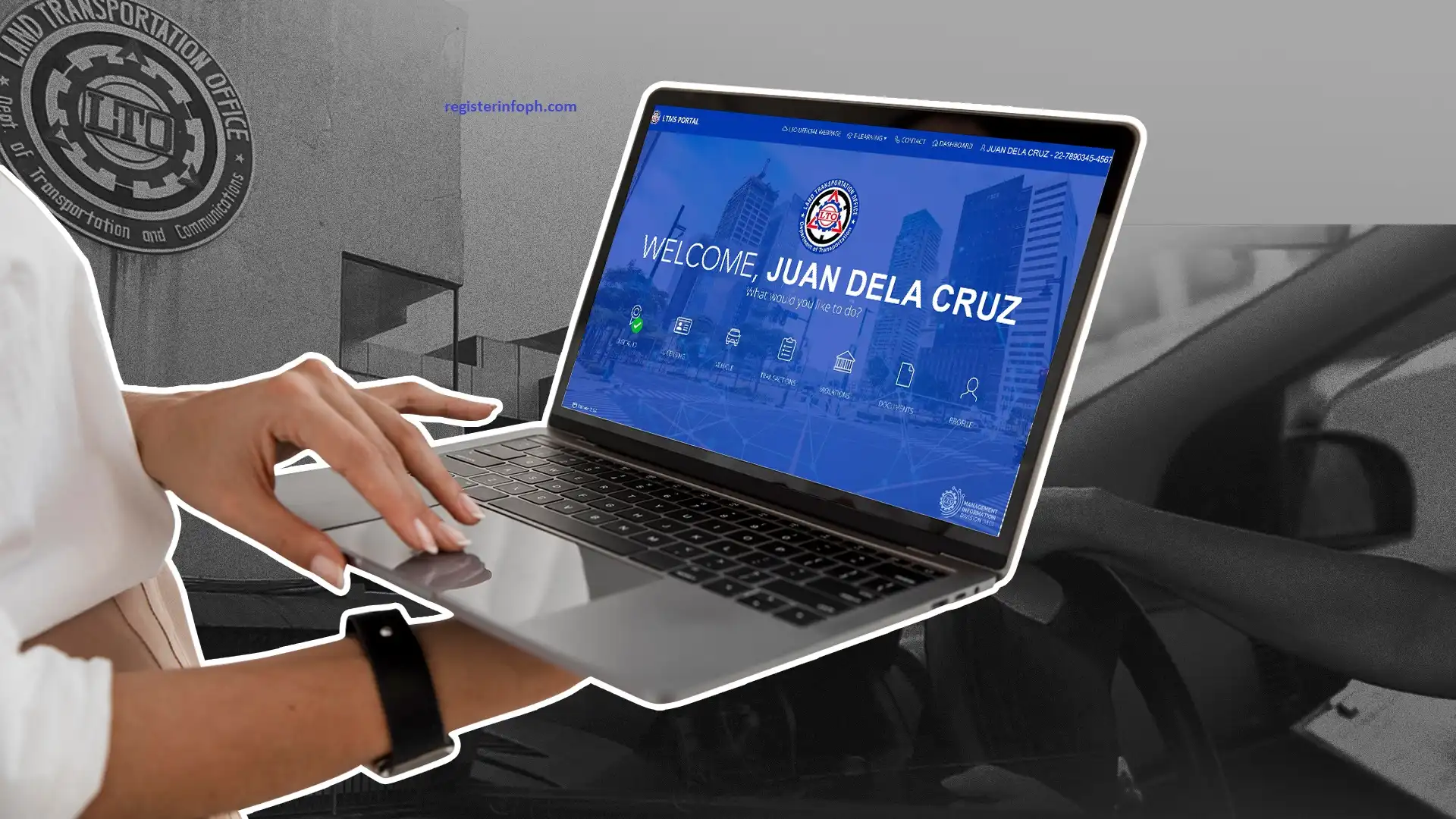
Every driver, vehicle owner, and license applicant in the Philippines now needs one thing before dealing with the LTO: an account on the LTMS portal. This online system has replaced hours of queuing with a 24/7 digital platform where you can apply for a license, register a vehicle, settle violations, or check your records from your phone or computer. If you’re not sure where to start, this guide walks you through exactly who qualifies, what documents you’ll need, and how to complete your online LTO account registration step by step — so you can finish the whole process without a single wasted trip to an LTO branch.
What Is the LTMS Portal?
The LTMS portal — short for Land Transport Management System — is the official digital platform of the Land Transportation Office (LTO) that lets Filipinos and foreign residents complete driving and vehicle-related transactions without visiting a branch in person. Launched in 2020, the official LTO online system consolidated dozens of LTO processes into a single contactless system, making it possible to apply for or renew a license, register a vehicle, or check outstanding violations from a phone, tablet, or computer, any time of day.
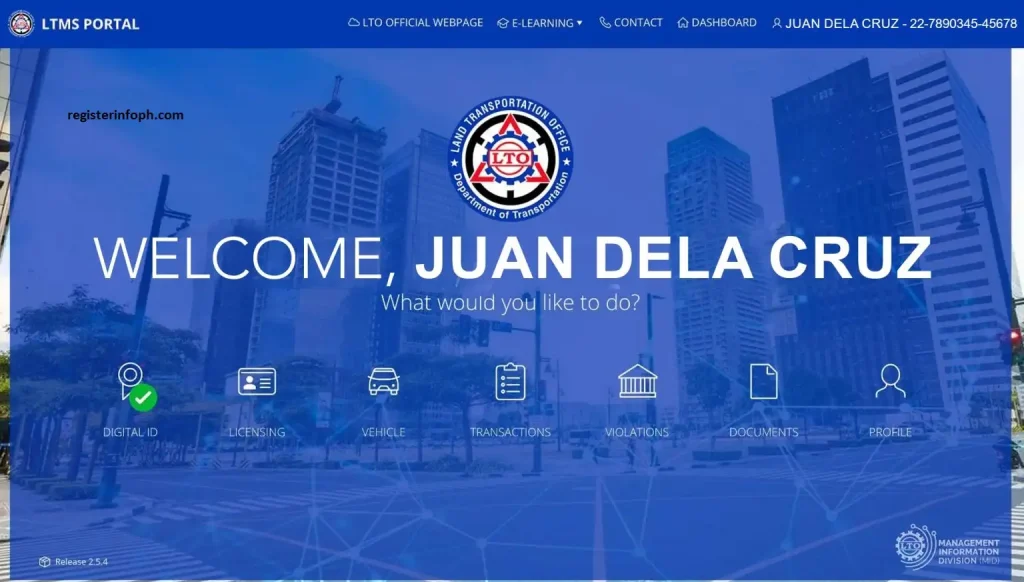
Unlike the LTO’s older systems, the digital platform was built to be fully responsive. Whether you open it on a desktop at home or a smartphone on the go, every feature and service remains accessible in the same way, so there’s no “mobile-only” or “desktop-only” limitation.
After signing in to your account, registered users can:
- Apply for a driver’s or conductor’s permit or license
- Renew an existing license or permit
- Register a motor vehicle
- Request an additional restriction code or license category
- Apply for a Certificate of No Apprehension
- Complete MAIRDOE (Manufacturers, Assemblers, Importers, Rebuilders, Dealers, and Other Entities) accreditation
- Request revisions to personal records
- View unsettled traffic violations
- Check a full history of misconduct and past transactions
- Access IDs, permits, and other LTO-issued documents
- Take the Driver’s License Renewal Course online
- Download digital copies of licenses and official receipts
- Pay traffic fines online or at any LTO District Office cashier
- Study for and take the Comprehensive Driver’s Education (CDE) exam
- Submit position papers for contested traffic violation cases
- Request a replacement for a lost or damaged license
- Upgrade a license from non-professional to professional
- Convert a foreign driver’s license into a Philippine license
Read also : PSA Online Appointment System: Complete Step-by-Step Guide (2026)
Step-by-Step LTMS Portal Online Registration Procedure
Here’s exactly how to complete your online LTO account registration, from start to finish:
- Go to the official homepage at portal.lto.gov.ph.
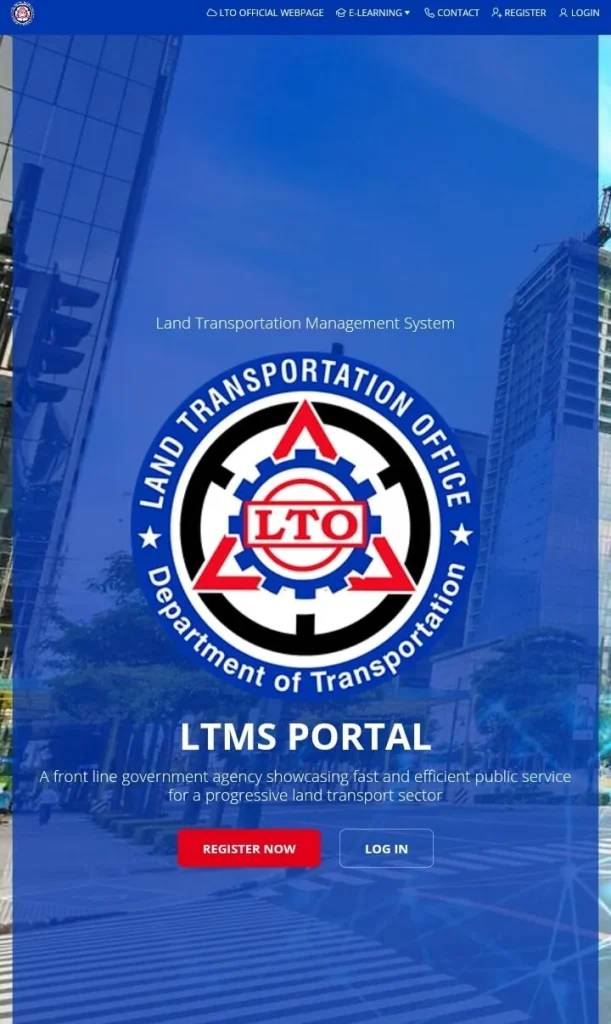
- Click “Register Now” on the homepage.
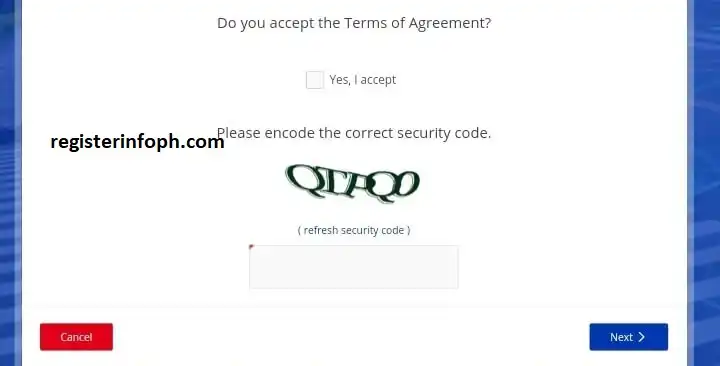
- Read and accept the Terms of Agreement by checking the box that says “Yes, I Accept.”
- Enter the security code (CAPTCHA) shown on screen, then click “Next.”
- Select your registrant type — either “Enroll as an Individual” or “Enroll as an Organization,” depending on your situation.

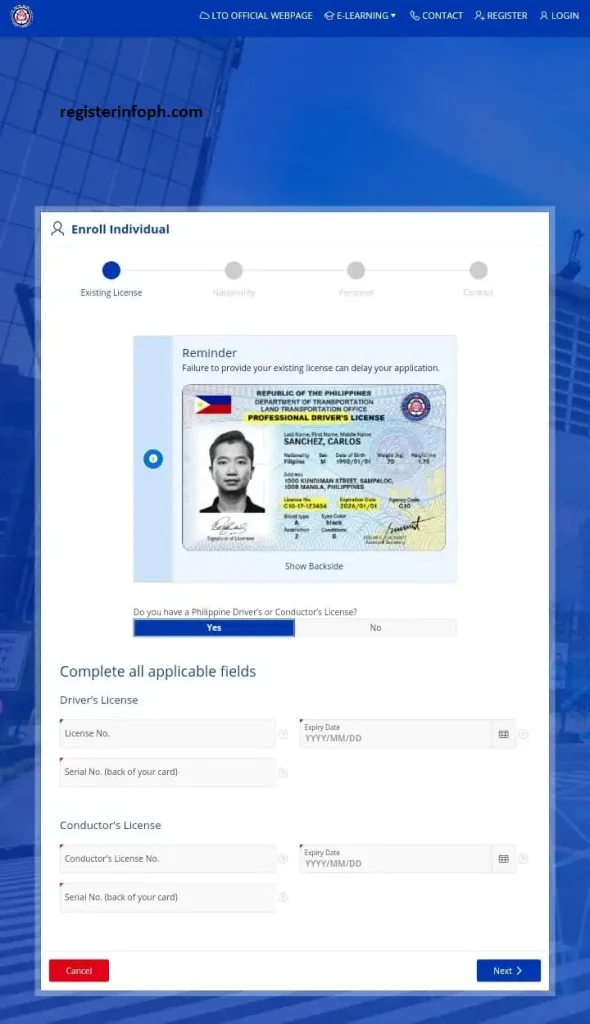
- Indicate whether you already hold a Philippine driver’s or conductor’s license by selecting “Yes” or “No.”

If You Already Have a License
- Enter your license number, expiry date, and official receipt number (or your mother’s maiden name if you no longer have the receipt).
- Confirm your nationality, then click “Next.”
- First-time Filipino applicants without a license number on file will need to provide their name, birthdate, and mother’s maiden name.
- Alien residents must provide their ACR number, ACR expiry date, and nationality.
- Click “Next,” then enter your email address and mobile number to submit.
If You Don’t Have a License Yet
- Select “No” when asked if you have an existing license.
- Confirm your nationality, then click “Next.”
- Filipino applicants provide their name, birthdate, and mother’s maiden name.
- Alien residents provide their ACR number, expiry date, and nationality.
- Click “Next,” then submit your email address and mobile number.
Completing Verification
- Check your email inbox for a verification link sent by the LTO.
- Click the verification link, then fill in the remaining required fields: emergency contact, medical information, general information, and complete address.
- Once submitted, the system will generate a unique 15-digit username.
- Log in using your new username and the password sent to your registered email — you’ll be redirected straight to your personal LTMS dashboard.
For more step-by-step guides on Philippine government services and online applications, visit the Register Info PH homepage.
Why the LTMS Portal Online Matters
The shift to the LTO’s online platform wasn’t just about convenience — it was designed to cut down long lines, reduce paperwork, and give the LTO a centralized digital record of every transaction. For anyone searching “how to register LTMS portal” or “LTMS portal registration requirements,” the platform effectively removes the guesswork by walking users through each step online before they ever set foot in an LTO office.
Key Benefits of Registering on the LTMS Portal
Creating an account on the LTMS portal comes with several practical advantages:
- 24/7 access to LTO transactions and services, without office hours limiting you
- Better exam pass rates, since the e-learning modules help you prepare for the Theoretical Exam before taking it
- Faster CDE certificate acquisition, a requirement for license renewal
- Instant license status checks, so you always know where your application stands
- Secure document processing, reducing the risk of lost paperwork
- A permanent digital archive of your licenses, receipts, and LTO records, accessible anytime

Who Should Register on the LTMS Portal?
Technically, anyone who owns a device and has a stable internet connection can create an LTMS portal account. That said, the platform is especially useful for:
- First-time license applicants and existing license holders, whether Filipino citizens or foreign residents
- Fleet managers, franchise holders, and companies operating public transport services
- MAIRDOE entities (Manufacturers, Assemblers, Importers, Rebuilders, Dealers, and Other Entities)
- Medical clinics that issue medical certificates for license applications
- Driving schools processing student records
- Diplomats, tax-exempt individuals, returning residents under no-dollar importation, and government agencies
Registration Requirements
Before starting your online registration, gather the following:
Basic requirements
- A stable internet connection
- A desktop, laptop, tablet, or smartphone
- A valid, active email address
- An active mobile number
If you already hold a Philippine driver’s or conductor’s license
- License number
- License expiry date
- Official receipt number (or your mother’s maiden name if the receipt is no longer available)
- Full name, birthdate, and gender
- Mother’s maiden name
- Emergency contact details
- Basic medical information
- Complete home address
If you are a foreign or alien resident
- Alien Certificate of Registration (ACR) number
- ACR expiry date
- Nationality
Having these details ready before you start makes the registration process much faster and helps you avoid having to restart midway.
Is LTMS Portal Registration Free?
Yes. Creating an account is completely free. The LTO does not charge any fee for account registration.
However, if you use the portal to process official transactions—such as applying for a driver’s license, renewing a license, or registering a vehicle—you must pay the corresponding government fees required for those services.
Be cautious of individuals or third parties who ask for payment simply to create an LTMS account on your behalf.
Log In to the LTMS Portal
To access LTO online services,visit the official LTO online portal and sign in using your registered account credentials.
Steps to Log In
- Open the official LTMS Portal.
- Enter your registered email address or Client ID.
- Enter your password.
- Complete the security verification (CAPTCHA) if prompted.
- Click Sign In to access your dashboard.

If your login details are correct, you will be redirected to your account dashboard, where you can access the online services available to your account.
Forgot Your Password?
If you cannot remember your password:
- Select Forgot Password? on the login page.
- Enter the email address associated with your LTMS account.
- Follow the password reset instructions sent to your registered email address.
- Create a new password and use it to log in.
Important Login Tips
- Use the email address or Client ID registered with your LTMS account.
- Enter your password exactly as you created it, since passwords are case-sensitive.
- Never share your login credentials with anyone.
- Always sign out after using a public or shared device.
This version avoids making claims about services that may vary by account type or change over time.
Common Login Issues and Solutions
You may occasionally experience login problems while accessing the online Portal. Here are some common issues and their possible solutions.
Incorrect Email, Client ID, or Password
Double-check that you entered the correct registered email address or Client ID and ensure your password is typed correctly. Passwords are case-sensitive.
Verification Email Not Received
If you do not receive the verification or password reset email, check your Spam or Junk folder. If it still does not arrive after some time, contact the LTO for assistance.
Forgot Your Password
Use the Forgot Password option on the login page and follow the password reset instructions sent to your registered email address.
The portal is unavailable
The portal may occasionally be unavailable because of scheduled maintenance or temporary technical issues. If this happens, wait for a while and try signing in again later. Community reports also show temporary outages from time to time.
LTMS Portal Online Services
After signing in to your LTMS account, you can access a variety of online services offered by the Land Transportation Office (LTO). The services available may vary depending on your account type and eligibility.
Some of the official services available through the platform include:
- Driver’s license application
- Driver’s license renewal (for eligible applicants)
- Student permit application
- Motor vehicle registration transactions
- Comprehensive Driver’s Education (CDE) Online Validation Exam
- Viewing driver’s license information
- Checking traffic violations and demerit records
- Viewing transaction history
- Accessing digital copies of certain LTO-issued documents
- Updating selected account information
The LTO continues to expand the services available through the LTMS Portal, allowing more transactions to be completed online instead of visiting an LTO office.
Security Tips
To help keep your LTMS account secure:
- Access the LTMS Portal only through the official LTO website.
- Never share your password or Client ID with anyone.
- Use a strong password that is difficult to guess.
- Log out after using a public or shared computer.
- Avoid signing in through unofficial websites or links received from unknown sources.
These simple practices help protect your personal information and LTO records.
Important Reminders Before You Register
- Not every LTO branch processes LTMS transactions — only select offices are LTMS-enabled.
- LTMS registration is completely free. Anyone asking for payment to “help” you register is likely a fixer or scammer.
- The portal covers license applications and renewals, vehicle registration, the CDE course, transaction history, and document storage — but not every LTO service is available online yet.
- Your LTMS account also functions as a 24-hour digital vault for your submitted IDs and documents.
- The platform works the same way across desktop, laptop, tablet, and smartphone devices.
Contact Information
If you need assistance with your LTMS Portal account or LTO online services, you can contact the Land Transportation Office through its official customer support channels.
You may:
- Visit your nearest LTO Office
- Submit an inquiry through the LTO Contact Us page
- Contact the LTO Client Care support team for account-related concerns
For the latest contact details and support options, always refer to the official LTO website.
Conclusion
The LTMS portal has changed the way Filipinos and foreign residents interact with the Land Transportation Office, replacing long queues and paper-heavy processes with a streamlined digital system available around the clock. From license applications and renewals to vehicle registration and violation settlement, the platform brings nearly every essential LTO service within reach of anyone with an internet connection.
Registering is straightforward, free, and only takes a few minutes if you have your documents and information ready beforehand. Whether you’re a first-time applicant, a returning license holder, or a foreign resident settling in the Philippines, creating your LTMS portal account today means faster, easier access to LTO services whenever you need them — without the hassle of standing in line.
Frequently Asked Questions
Explore our latest posts for more helpful guides and updates.