If you use a Globe SIM card in the Philippines, completing your Globe SIM Registration is required by law under the SIM Registration Act (Republic Act No. 11934). Whether you have a prepaid or postpaid SIM, registration helps keep your number active, protects it from scams and fraud, and secures your personal information. It also ensures you continue enjoying reliable calls, texts, mobile data, and other Globe services without interruption.
You can complete your SIM Registration online through the latest official portal: simreg.globe.com.ph/globe-digital-onboarding. Before 2024, Globe subscribers used new.globe.com.ph/simreg, but the company has since introduced a faster, more secure, and user-friendly registration platform.
On the updated website, you can verify your personal details, upload a valid government-issued ID, and finish the registration process in just a few minutes. Registering your SIM today allows you to continue using calls, text messaging, mobile internet, and exclusive Globe promos across the Philippines without any service disruptions.
Looking for more Philippine government guides? Visit RegisterInfoPH for the latest registration updates and step-by-step tutorials.
Who Needs to Register a Globe SIM?
All Globe subscribers in the Philippines—including prepaid, postpaid, TM, and Globe At Home users—must complete Globe SIM Registration in compliance with the government’s SIM Registration Act. Registering your SIM helps prevent identity fraud, keeps your mobile number secure, and ensures uninterrupted access to Globe Telecom services nationwide.
Globe Prepaid and Postpaid Subscribers
If you’re already using a Globe prepaid or postpaid SIM, make sure your information is verified through the official Globe SIM Registration portal. Completing your registration keeps your services active, while unregistered SIM cards may eventually face restrictions or deactivation.
New Globe SIM Card Users
If you’ve recently purchased a new Globe SIM card, you must complete the new SIM Registration process before using it. Registration activates your SIM and gives you immediate access to calls, text messages, mobile data, and other Globe mobile services.
TM and Globe At Home Subscribers
TM users and Globe At Home Prepaid WiFi customers are also required to complete their SIM Registration. You can register through the official website or the GlobeOne App to verify your account and avoid SIM deactivation.
Business and Corporate Globe Customers
Businesses and organizations with Globe corporate or business postpaid accounts must also complete the SIM Registration process under the company’s registered name. This ensures compliance with Philippine regulations while allowing uninterrupted communication services for employees and business operations.
Explore our latest guides and updates on Philippine government services.
Requirements for Registering a Globe SIM
Before you begin your Globe SIM Registration, make sure you have all the required information and documents ready. Globe requires every subscriber to submit accurate personal details along with a valid government-issued ID. Preparing these requirements in advance helps ensure a smooth verification process and successful SIM registration.
Personal Information You’ll Need
To complete your SIM Registration online, you must provide your full name, date of birth, gender, nationality, and current residential address. Make sure all the information exactly matches the details shown on your valid ID, as incorrect or mismatched information may delay or reject your registration.
Requirements for Globe Postpaid and Business Customers
If you are a Globe postpaid or corporate account subscriber, most of your personal information is already stored in Globe’s records. However, you may still be asked to verify or update your details to complete the Globe SIM Registration process. You can do this through the official SIM Registration portal or by using the GlobeOne App.
SIM Registration for Minors and Assisted Users
Minors must register their Globe SIM under the name of their parent or legal guardian using the guardian’s valid government-issued ID. If you do not have internet access or need assistance, you can visit any Globe Store or authorized registration booth, where staff can help you complete the registration process manually.
Read Also : NBI Clearance 2026: Online Application, Requirements & Fees
Related guide : Smart SIM Registration Philippines 2026 : Complete Guide
Accepted IDs for SIM Registration
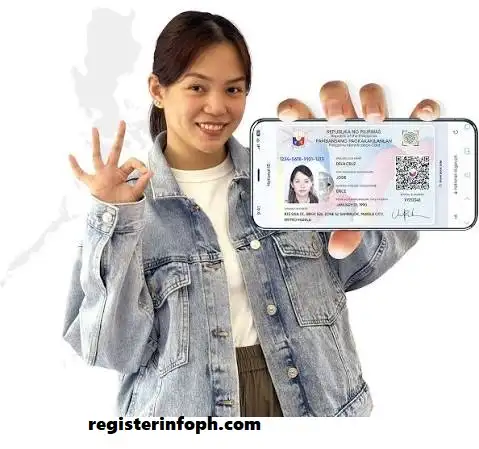
To successfully complete your Globe SIM Registration, you must upload one valid government-issued ID during the online registration process. Globe Telecom accepts the following identification documents:
What If You Don’t Have a Valid ID?
If you don’t currently have one of the accepted government-issued IDs, you may still be able to complete your Globe SIM Registration, depending on your circumstances. Here are the available options:
For Minors
A Globe SIM used by a minor must be registered under the name of a parent or legal guardian. The guardian must present a valid government-issued ID, while the minor’s personal information, including full name, birth date, and address, must also be provided during registration.
For Senior Citizens and Persons with Disabilities (PWDs)
Senior citizens and persons with disabilities may complete the Globe SIM Registration themselves if they are able. If assistance is needed, an authorized representative may register on their behalf by presenting their own valid ID together with a signed authorization letter or any other required proof of authorization.
If You Don’t Have an Accepted Government ID
If you do not yet have any of the accepted identification documents, you should first apply for a valid government-issued ID, such as the Philippine National ID, Driver’s License, or Passport. Once you receive your ID, you can complete your Globe SIM Registration through the official online portal, the GlobeOne App, or by visiting a Globe Store.
Step-by-Step Globe SIM Registration Through the Official Online Portal
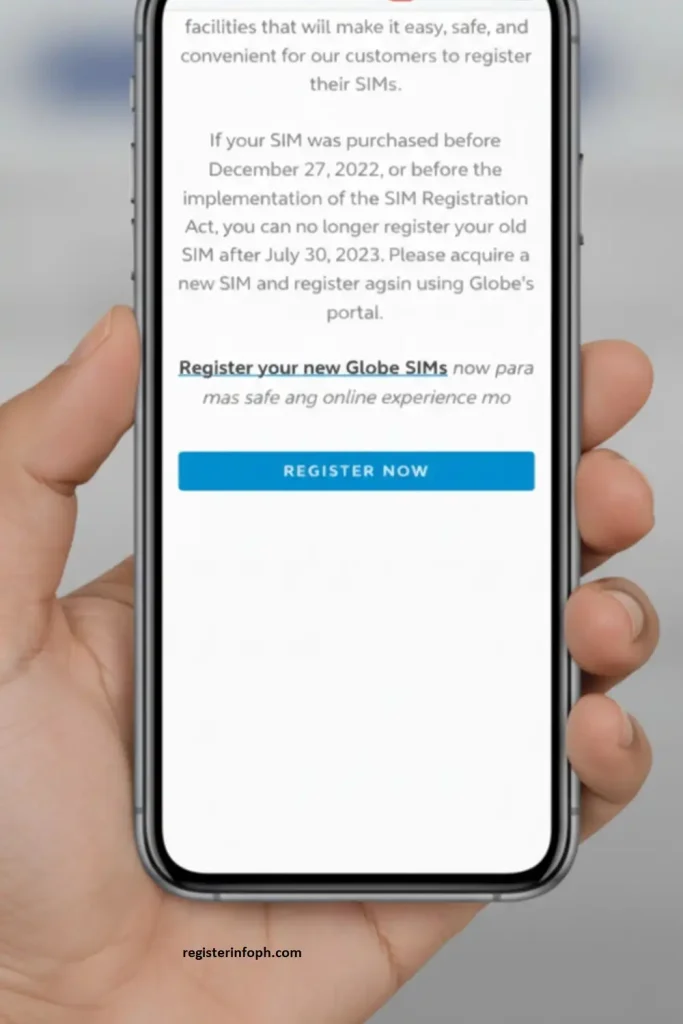
Visit the Official Globe SIM Registration Portal
Go to the official Globe SIM Registration portal to begin the registration process.
Click the Register button to start your SIM Registration.
Choose your preferred language, either English or Taglish.
Enter your 11-digit Globe mobile number and click Register to continue.

Verify Your Globe Mobile Number
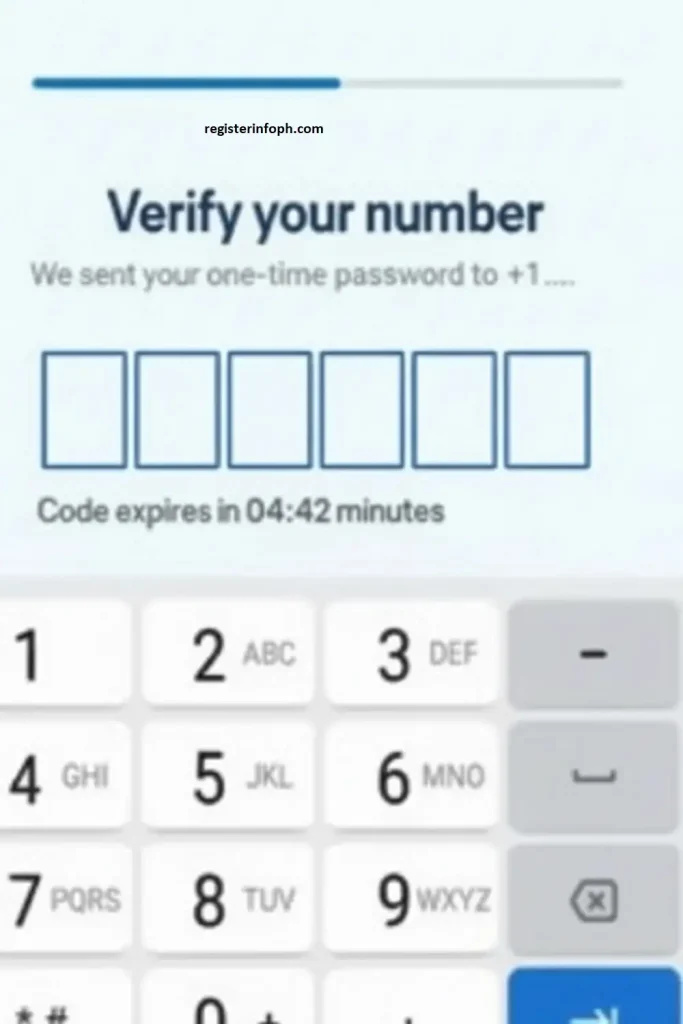
After submitting your number, Globe will send a One-Time PIN (OTP) via SMS. The verification code is valid for 5 minutes, so enter it as soon as you receive it.
Type the 6-digit OTP into the Verify Your Number field and wait while the system confirms your mobile number.
Complete the Globe SIM Registration Form
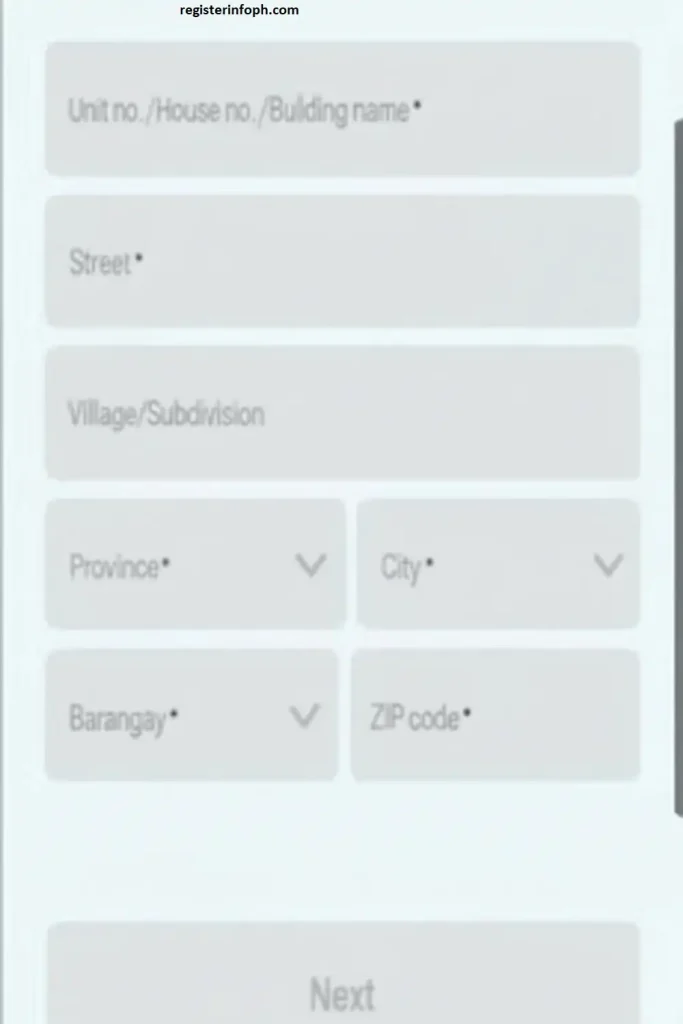
Once your number has been verified, fill out the online registration form with your personal information, including:
- Full name
- Nationality
- Residential address
- Date of birth and gender
- Valid government-issued ID details
Double-check your information before proceeding to avoid delays during verification.
Upload Your Selfie and Valid ID
Upload a clear selfie along with a photo of one accepted government-issued ID, such as your Philippine National ID, Passport, Driver’s License, or Senior Citizen ID.
Make sure each file is clear and under 2MB in size. If necessary, compress the image before uploading to avoid upload errors.

Review the Privacy Notice and Submit
Read Globe’s Privacy Notice carefully, tick the agreement checkbox, and click Submit to complete your Globe SIM Registration.

After your application is submitted successfully, you will receive a reference number. Please keep this for your records, as it serves as proof of your successful registration.

Register Your Globe SIM Using the GlobeOne App
You can also complete your Globe SIM Registration through the GlobeOne App. This method lets you register your SIM while managing your account, mobile data, promos, and other Globe services from one convenient application. The app offers a secure and user-friendly registration experience.
Step 1
Download and install the GlobeOne App from the Google Play Store or Apple App Store.
Open the app and sign in using your existing account, or create a new account if you’re a first-time user.
On the home screen, tap Register Your SIM.
Enter your 11-digit Globe mobile number and select Register SIM.
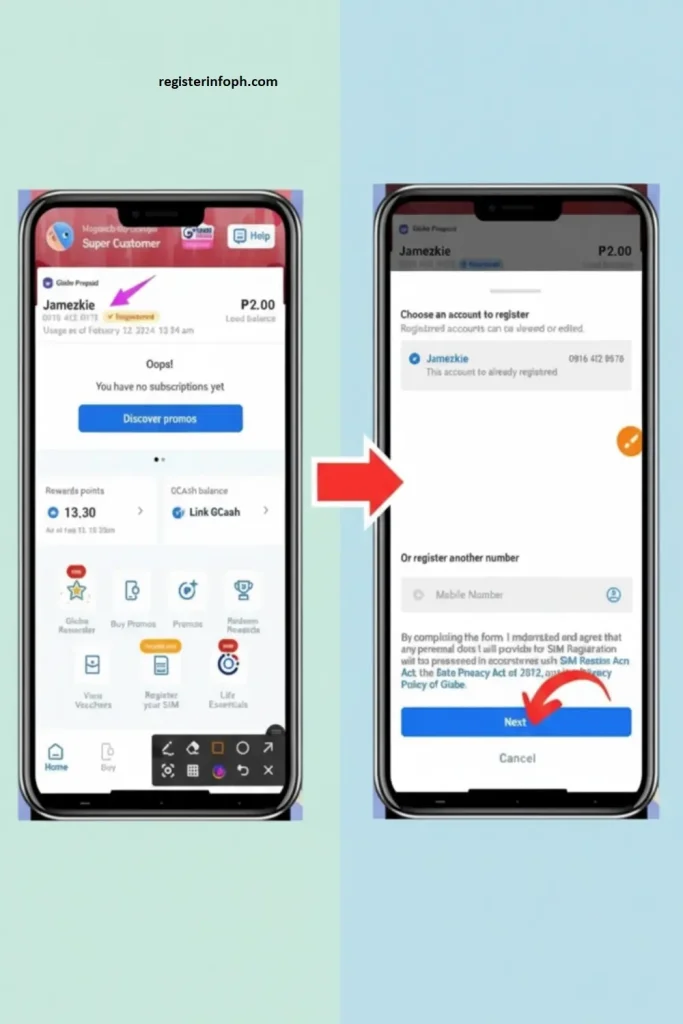
Step 2
A One-Time Password (OTP) will be sent to your Globe mobile number through SMS.
Enter the verification code in the provided field to confirm your number and continue with the registration process.

Step 3
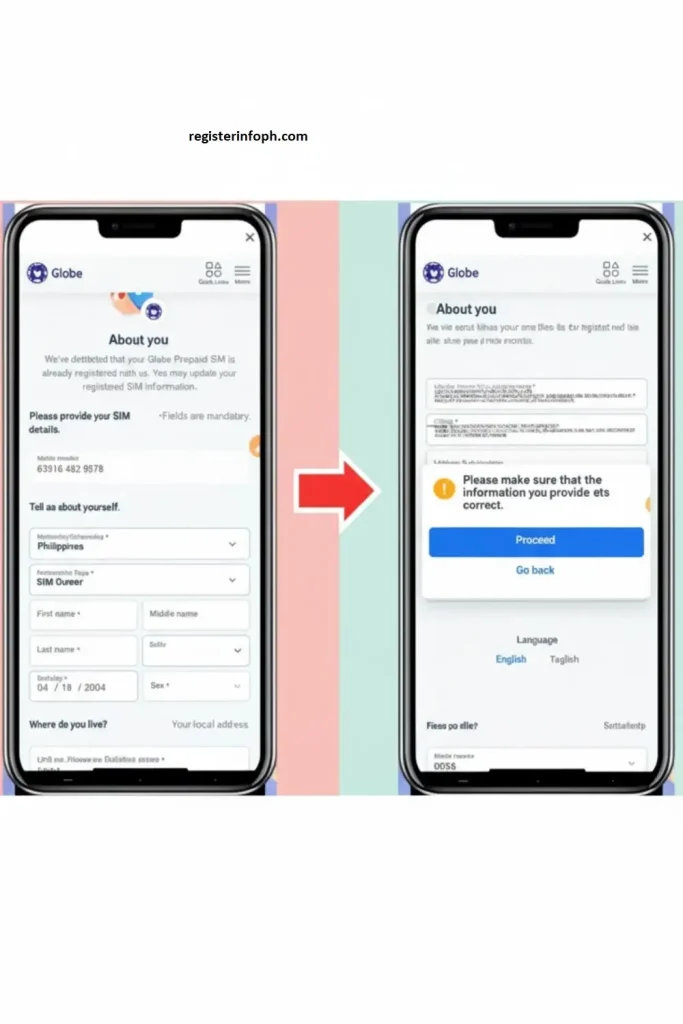
Complete the Tell Us About Yourself and Where Do You Live sections by entering your correct personal information.
After reviewing your details, tap Next.
Step 4
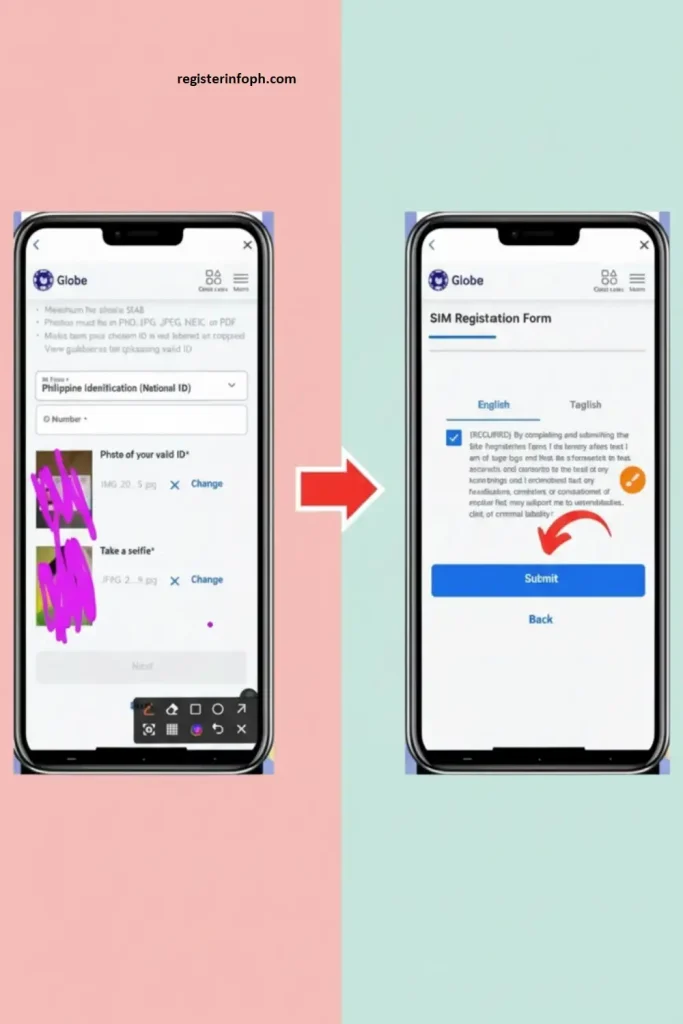
Choose your preferred government-issued ID, such as:
- Philippine National ID
- UMID
- Driver’s License
- Passport
- BIR ID
- ACRI-Card
- DOLE AEP
Enter your ID number, upload a clear image of your ID, and take a selfie for identity verification. Tap Next to proceed.
Step 5
Review the Terms and Conditions carefully.
Tick the agreement checkbox and tap Submit to finish your Globe SIM Registration.
A confirmation screen containing your Reference Code will appear. Save or take a screenshot of this code for future reference.
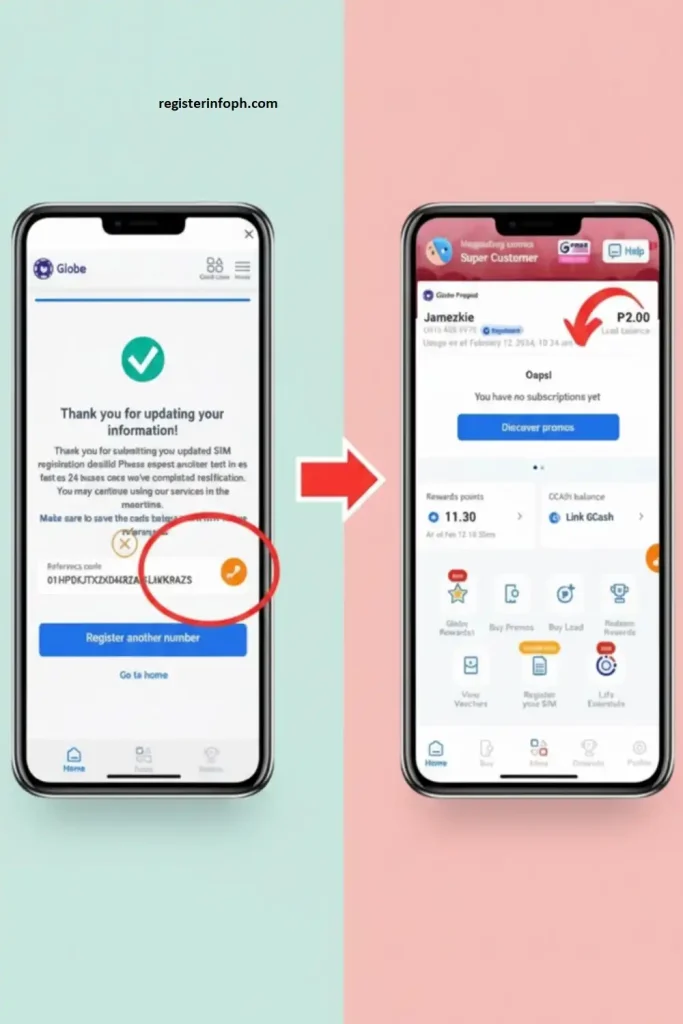
Additional Tip: If eligible, you may also complete your SIM Registration through GCash, making the process even more convenient for users who regularly use the app for payments and mobile services.
How to Register Your Globe SIM Without Internet Access
If you don’t have internet access, you can still complete your Globe SIM Registration by visiting a Globe Store or an authorized Globe retailer.
Common Registration Problems and Solutions
The Globe SIM Registration process is generally quick and straightforward. However, some users may experience delays or encounter errors during registration. Most issues can be resolved by verifying your information, checking your internet connection, or using an alternative registration method provided by Globe Telecom.
Didn’t Receive the OTP?
If you don’t receive the One-Time Password (OTP) while completing your SIM Registration, first make sure your phone has a strong mobile signal. Wait for about 3 to 5 minutes, restart your device, and request a new OTP if necessary. If the verification code still doesn’t arrive, try registering through the GlobeOne App or contact Globe Customer Service by dialing 211 for assistance.
Invalid or Rejected ID Upload
One of the most common Globe SIM Registration issues is uploading an unclear, expired, or unsupported ID. Always use a valid government-issued ID with a clear photo and readable information. Upload the file in a supported format such as JPEG or PNG. If your registration is rejected, correct the issue and upload a new image through the official SIM Registration portal.
Globe SIM Registration Website Not Working
If the Globe SIM Registration website is loading slowly or fails to open, the problem is often caused by high website traffic or temporary server maintenance. Try clearing your browser cache, refreshing the page, and switching to a stable Wi-Fi or mobile data connection. If the issue continues, wait a while and try again during off-peak hours, or complete your registration using the GlobeOne App.
Incorrect Personal Information
Entering the wrong name, date of birth, address, or other personal details may cause your SIM Registration to be rejected. Before submitting your application, carefully review all the information you entered to ensure it matches your government-issued ID.
If you discover an error after submitting, return to the registration portal, update the incorrect information, and resubmit your application with the correct details and supporting ID.
SIM Not Activated After Registration
Once your Globe SIM Registration is successfully completed, your SIM should usually become active within a few minutes. If your SIM remains inactive, restart your phone and check for a confirmation SMS from Globe Telecom. If activation is still pending, contact Globe Customer Support or visit the nearest Globe Store for further verification and assistance.
Globe SIM Registration for Foreigners and Tourists (2026)
Foreign nationals and tourists visiting the Philippines are also required to complete Globe SIM Registration before using Globe mobile services. Registering your SIM ensures compliance with the SIM Registration Act and allows you to enjoy uninterrupted calls, text messaging, and mobile data during your stay.
Whether you’re using a Globe Prepaid SIM, Globe At Home Prepaid WiFi, or a Globe Tourist SIM, you’ll need to provide valid identification and travel documents. This requirement applies to tourists, international students, temporary foreign workers, and long-term foreign residents.
Required Documents for Foreign Nationals
To complete Globe SIM Registration as a foreign national, prepare one or more of the following documents:
- Passport with photo and valid visa page
- Proof of address in the Philippines (hotel booking, lease agreement, or utility bill)
- Alien Certificate of Registration (ACR) or ACR I-Card
- Employment Permit or Student Visa (for long-term visitors)
Make sure all uploaded documents are clear, complete, and match the personal information provided during registration.
How Foreigners Can Register a Globe SIM
If you’re a foreigner or tourist in the Philippines, follow these simple steps to complete your Globe SIM Registration:
- Visit the official Globe SIM Registration portal.
- Enter your Globe or TM mobile number and verify it using the OTP.
- Fill in your personal information exactly as it appears on your passport.
- Upload the required documents, including your passport, visa, and proof of address if applicable.
- Submit your registration and wait for a confirmation SMS or email from Globe Telecom.
Once your registration is approved, your Globe SIM will be fully activated, allowing you to make calls, send text messages, and use mobile data safely.
Validity of Tourist SIM Registration (2026 Update)
For short-term visitors, a registered Globe Tourist SIM remains active only for the duration of your authorized stay or visa validity in the Philippines. Once your permitted stay expires, the SIM will automatically be deactivated.
If you’re a long-term foreign resident, you can update or renew your Globe SIM through the GlobeOne App or by visiting any Globe Store.
Helpful Tip: Tourists can conveniently purchase a Globe Prepaid SIM at airports, Globe Stores, authorized kiosks, and convenience stores across the Philippines. After purchasing the SIM, you can complete your SIM Registration online through the official registration portal or with assistance at Globe registration booths.
Globe SIM Registration for Minors and Senior Citizens
The Globe SIM Registration process is designed to accommodate users of all ages, including minors and senior citizens. Globe provides special registration guidelines to help these subscribers comply with the requirements of the SIM Registration Act (Republic Act No. 11934).
For minors under 18 years old, the SIM card must be registered under the name of a parent or legal guardian. The guardian should complete the following steps:
- Visit the official Globe SIM Registration portal.
- Enter the minor’s Globe SIM number along with the guardian’s personal information.
- Upload a valid government-issued ID and proof of relationship, such as the child’s birth certificate.
- Submit the registration form and wait for the confirmation message from Globe.
Please note that the parent or legal guardian is legally responsible for any activity associated with the registered SIM card.
For senior citizens aged 60 and above, SIM Registration can be completed either online or by visiting the nearest Globe Store.
Senior citizens must provide a valid government-issued ID, such as a Senior Citizen ID, Philippine Passport, or Driver’s License. They may also be asked to submit proof of address, including a utility bill, lease agreement, or barangay certificate. After providing the required information and documents, simply submit the registration online or receive assistance at a Globe Store.
Globe also offers additional support through the GlobeOne App, authorized registration booths, and the Globe Customer Service Hotline (211) for minors, senior citizens, and anyone who needs help completing the registration process.
How Long Do You Have to Complete Globe SIM Registration After Buying a New SIM?
How Long Do You Have to Complete Registration After Buying a New SIM?
you can start using mobile services. New SIM cards remain inactive until the registration process has been successfully completed.
- New Globe SIM cards purchased in 2025 or 2026 currently have no announced fixed registration deadline, but they must be registered before activation.
- SIM cards purchased before December 27, 2022, that were not registered were permanently deactivated in 2023 under the SIM Registration Act.
- Once your SIM Registration is approved, you can immediately use your SIM for calls, text messaging, and mobile data services.
Tip: Register your Globe SIM as soon as you purchase it to avoid activation delays and enjoy uninterrupted mobile services.
How to Register Multiple Globe SIM Cards
If you own more than one Globe SIM card, each SIM must go through its own SIM Registration process. Every SIM card is treated as a separate registration under the law.
For each SIM, you’ll need to provide:
- Your personal information
- A valid government-issued ID
- A clear selfie for identity verification
You can register multiple Globe SIM cards using any of the following methods:
- Globe SIM Registration online portal
- GlobeOne App
- Globe Stores and authorized registration centers
Tip: Carefully review the information you enter for every SIM card before submitting your registration. Accurate details help prevent verification delays and ensure each SIM remains active.
How to Check Your Globe SIM Registration Status
After completing your Globe SIM Registration, it’s important to verify that your SIM has been successfully registered. Globe offers several ways to check your registration status, allowing you to confirm that your mobile number is active and fully compliant with the SIM Registration Act (Republic Act No. 11934).
Check Your Status Using the GlobeOne App
Open the GlobeOne App and sign in using your registered Globe mobile number.
- Tap your mobile number on the home screen.
- Navigate to the SIM Registration Status section.
- If your registration was successful, you’ll see a “Registered” status or a confirmation message displayed on your account.
Check Through the Globe SIM Registration Portal
You can also verify your SIM Registration online using the official registration website.
- Visit the official SIM Registration portal.
- Enter your Globe or TM mobile number.
- Select Check Status.
The system will display your registration status on-screen or send you an SMS confirming whether your registration is successful or still being processed.
Confirm Registration Through SMS
After successfully completing your Globe SIM Registration, Globe will send a confirmation SMS to your registered mobile number.
This message confirms that your SIM has been registered successfully and may include additional instructions if further action is required.
If you don’t receive a confirmation message within a few hours, contact Globe Customer Service to verify the status of your registration.
Contact Globe Customer Service
If you’re still unsure whether your Globe SIM Registration was completed successfully, you can contact Globe Customer Support for assistance.
- Dial 211 free of charge using your Globe or TM mobile number.
- You can also reach Globe through its official Facebook page or live chat support.
A customer service representative can verify your registration status and let you know if any additional information is needed.
Additional Tip: If your registration status shows “Pending,” complete the remaining steps as soon as possible. Unregistered SIM cards may lose access to calls, texts, mobile data, Globe At Home services, and GlobeOne App features.
SIM Registration Deadline and Penalties
What Happens If You Don’t Register Your Globe SIM?
Failure to complete Globe SIM Registration may result in your SIM card being automatically deactivated. Once deactivated, you’ll lose access to calls, text messaging, mobile data, and any remaining prepaid balance. In most cases, your old mobile number cannot be recovered, meaning you’ll need to purchase and register a new Globe SIM card.
How Globe Reminds Subscribers Before Deactivation
Before deactivating an unregistered SIM, Globe typically sends several SMS or email reminders encouraging subscribers to complete their registration.
Always register your SIM using official Globe platforms to protect yourself from phishing websites and fraudulent registration links.
Why Completing SIM Registration on Time Is Important
Registering your Globe SIM before activation ensures uninterrupted access to calls, texts, mobile data, and other Globe services. It also allows you to continue using GlobeOne App features, account management tools, exclusive promos, and future Globe postpaid or fiber services.
Official Deadline (2026 Update)
Under the SIM Registration Act (Republic Act No. 11934), every SIM card in the Philippines must be registered.
- SIM cards purchased before December 27, 2022, were required to complete registration by 2023, after which unregistered SIMs were deactivated.
- For Globe SIM cards purchased in 2025, 2026, and beyond, there is currently no nationwide registration deadline. However, every new SIM must be registered before it can be activated and used.
Registering your Globe SIM promptly keeps your number active, secure, and fully compliant with Philippine law.
How to Update or Correct Your Globe SIM Registration Information
If you entered incorrect details or your personal information has changed after completing your Globe SIM Registration, you can update your records through Globe’s official channels. Keeping your information accurate helps prevent verification issues and ensures uninterrupted mobile service.
When Should You Update Your Globe SIM Registration?
You should update your registration if you:
- Changed your legal name
- Moved to a new address
- Uploaded the wrong government-issued ID
- Entered incorrect information such as your birth date or mobile number
Keeping your information current ensures your registration remains valid and compliant with government requirements.
Update Your Details at a Globe Store
If you’re unable to update your information online, visit the nearest Globe Store with your registered SIM and a valid government-issued ID.
A Globe representative will assist you in updating or verifying your SIM Registration information.
Update Through the Globe SIM Registration Portal
To update your registration online:
- Visit the official SIM Registration portal.
- Enter your registered Globe or TM mobile number.
- Verify your identity using the One-Time Password (OTP).
- Select Update Information.
- Upload your updated ID or correct the necessary personal information.
- Submit your request and wait for Globe’s confirmation message.
Update Using the GlobeOne App
You can also manage your SIM Registration through the GlobeOne App.
- Open the GlobeOne App using your registered SIM.
- Go to Profile or Account Settings.
- Select SIM Registration Details.
- Update your address, name, ID information, or other personal details.
- Save your changes and wait for the confirmation SMS or in-app notification from Globe.
Benefits of Registering Your SIM
Completing your Globe SIM Registration helps keep your mobile number secure while ensuring uninterrupted access to Globe’s network and services. Most mobile subscribers in the Philippines have already registered their SIMs to comply with the law and improve mobile security.
According to publicly released registration figures:
- Globe Telecom: Around 53 million of its 86 million subscribers completed SIM registration, while approximately 33 million unregistered SIMs were deactivated.
- Smart and TNT: Nearly 52 million out of 66 million SIM cards were registered, representing roughly 79% of subscribers.
Some of the key benefits of registering your Globe SIM include:
- Reduces spam messages and scam calls
- Protects your mobile number from unauthorized use
- Helps prevent identity theft and online fraud
- Makes it easier to identify individuals involved in criminal activities
- Supports nationwide efforts to reduce cybercrime
- Provides a safer and more secure mobile experience
Understanding the SIM Registration Act
The SIM Registration Act, officially known as Republic Act No. 11934, requires all mobile subscribers in the Philippines to register their SIM cards.
Key milestones include:
- Signed into law on October 10, 2022
- Implemented on December 27, 2022
- Subscribers were originally given 180 days to register their SIM cards
- Unregistered SIM cards were permanently deactivated after the registration period ended
By August 2023, approximately 114 million SIM cards had been successfully registered, representing around 68% of all active SIM cards in the Philippines. The law was introduced to improve public safety by reducing scams, fake identities, spam messages, and other forms of mobile-related fraud.
Globe Postpaid, Platinum, and Globe At Home WiFi SIM Registration
The Globe SIM Registration requirement applies to all Globe subscribers under the SIM Registration Act (Republic Act No. 11934). This includes Globe Prepaid, Globe Postpaid, Globe Platinum, Globe LTE At Home, Wireless Landline, and Globe At Home Prepaid WiFi users. Depending on your account type, you can complete or confirm your registration through the official Registration portal, the GlobeOne App, or via SMS.
While the registration process is similar for most users, a few steps vary depending on the Globe service you use.
Globe Postpaid SIM Registration
If you’re a Globe Postpaid subscriber, Globe already has the personal information you provided when you applied for your postpaid plan. In most cases, you only need to confirm your registration details.
Steps:
- Wait for the Globe SMS containing your SIM registration information.
- Review the details carefully.
- Reply by texting SIMREG to 8080 to confirm your registration.
- Globe will send another SMS confirming that your SIM Registration has been completed successfully.
If you don’t receive the confirmation message, you can verify your registration through the GlobeOne App or visit the nearest Globe Store for assistance.
Globe Platinum SIM Registration
Globe Platinum subscribers must also confirm their SIM Registration. Since Globe already has your account information, the process is quick and straightforward.
Steps:
- Wait for the SMS notification from Globe containing your registration details.
- Review the information provided.
- Reply with SIMREG to 8080 to confirm your registration.
- Wait for the confirmation SMS indicating that your registration has been successfully completed.
If you need additional assistance, you may contact your assigned Globe Platinum Account Manager or visit any Globe Store.
Globe LTE At Home and Wireless Landline SIM Registration
Users of Globe LTE At Home and Wireless Landline services can confirm their Globe SIM Registration through SMS.
Steps:
- Wait for the Globe At Home message requesting confirmation of your registration details.
- Open your phone’s messaging app.
- Type the following format:
SIMREG
- Send the message to 268204.
- Wait for the confirmation SMS indicating that your registration has been successfully completed.
Globe At Home Prepaid WiFi SIM Registration
For New Customers
If you’ve recently purchased a Globe At Home Prepaid WiFi Kit, follow these steps to complete your Globe SIM Registration:
- Set up your Prepaid WiFi modem and power it on.
- Download and install the GlobeOne App.
- Add your Globe At Home Prepaid WiFi number to the app.
- Tap Register Your SIM Now.
- Complete the registration form by entering your personal details.
- Upload a valid government-issued ID and take a clear selfie for identity verification.
- Enter the One-Time Password (OTP) sent to your registered number.
- Submit your registration and save the reference number as proof of successful registration.
For Existing Customers
Existing Globe At Home Prepaid WiFi subscribers can easily complete their Globe SIM Registration by following these steps:
- Connect your device to your Globe At Home Prepaid WiFi network.
- Open the GlobeOne App.
- Select your registered WiFi account.
- Complete the SIM registration form by following the on-screen instructions.
Important Update (2026)
Keep these important reminders in mind before completing your SIM Registration:
- Every new Globe SIM card must be registered before it can be activated and used.
- Each Globe SIM card must be registered individually under the subscriber’s name.
- After completing your registration, Globe will provide a reference number, which serves as proof that your SIM has been successfully registered.
How to Check Your Globe Balance After SIM Registration
After completing registration, it’s a good idea to check your account balance to confirm that your SIM is active and ready to use. Monitoring your remaining load, mobile data, and promo validity helps you stay connected without unexpected interruptions. Below are the easiest ways to check your Globe balance in 2026.
| Method | How to Check | Details | Works Without Internet? |
|---|---|---|---|
| *USSD Code (143#) | Dial *143# → Select My Account → Balance Inquiry | Instantly displays your remaining load and promo validity. Available for Globe Prepaid, TM, and supported modems. | Yes |
| SMS to 8080 | Send BAL to 8080 (load) or DATA BAL to 8080 | Receive your remaining load, mobile data, and promo validity through SMS. | Yes |
| GlobeOne App | Open the GlobeOne App and sign in | View your available load, data balance, active promos, and account information in one place. | No |
| Globe Website | Sign in to your Globe account through the official website | Check your remaining balance, mobile data usage, and account details online. | No |
| Globe At Home App / Modem Dashboard | Open the Globe At Home App or access your modem dashboard (for example, 192.168.254.254) | Home Prepaid WiFi users can check remaining data allocation and promo validity. | No |
Globe Prepaid Promos Available After SIM Registration (2026)
After successfully completing your SIM Registration, you can subscribe to Globe’s latest prepaid promos for mobile data, calls, and text messaging. These offers help you browse the web, stream videos, use social media, and stay connected while enjoying affordable rates, bonus data, unlimited texts, and exclusive rewards.
You can activate Globe promos through the GlobeOne App, GCash, or by dialing *143#.
Go+ Promos
| Promo | Total Data | Price / Validity | Data Allocation | Included Benefits |
|---|---|---|---|---|
| Go+99 | 20 GB | ₱99 / 7 Days | 8 GB All Sites • 4 GB Free 5G • 8 GB for GoSHARE, GoWATCH & GoPLAY | Unlimited texts to all networks + 1 discount voucher |
| Go+109 | 22 GB | ₱109 / 7 Days | 10 GB All Sites • 4 GB Free 5G • 8 GB for Apps | Unlimited texts to all networks + 1 discount voucher |
| Go+129 | 26 GB | ₱129 / 7 Days | 10 GB All Sites • 8 GB Free 5G • 8 GB for Apps | Unlimited Globe & TM calls, unlimited texts to all networks + 1 discount voucher |
Go Promos (“Own Each Day”)
| Promo | Total Data | Price / Validity | Data Allocation | Included Benefits |
|---|---|---|---|---|
| Go59 | 6 GB | ₱59 / 3 Days | 5 GB for all sites • 1 GB Free 5G | Unlimited texts to all networks |
| Go59 for Students | 7 GB | ₱59 / 3 Days | 5 GB All Sites • 1 GB Free 5G • 1 GB for GoLEARN & WORK Apps | Unlimited texts to all networks |
GoUNLI Promos (Unlimited Calls and Texts)
| Promo | Data | Price / Validity | Included Services |
|---|---|---|---|
| GoUNLI20 | 50 MB | ₱20 / 1 Day | Unlimited calls and texts to all networks |
| GoUNLI30 | 100 MB | ₱30 / 2 Days | Unlimited calls and texts to all networks |
| GoUNLI50 | 500 MB | ₱50 / 3 Days | Unlimited calls and texts to all networks |
GoSURF Promos
| Promo | Total Data | Price / Validity | Data Allocation | Best For |
|---|---|---|---|---|
| GoSURF30 | 350 MB | ₱30 / 2 Days | 300 MB All Sites • 50 MB for Facebook, Instagram, Viber & Snapchat | Light browsing and social media |
| GoSURF299 | 12 GB | ₱299 / 30 Days | 2 GB All Sites • 10 GB for GoWATCH, GoPLAY, GoLEARN & more | Everyday browsing and entertainment |
| GoSURF599 | 15 GB | ₱599 / 30 Days | 5 GB All Sites • 10 GB for selected apps | Heavy streaming and internet usage |
Globe Customer Service Hotline Numbers
If you need help with Globe SIM Registration, mobile services, broadband, billing, or prepaid promos, you can contact Globe Customer Service using any of the following official channels:
- From Globe or TM mobile: Dial 211 (Free)
- From a landline: (02) 7730-1000
- From overseas (roaming): +63 2 7730-1212
For most Globe subscribers, dialing 211 is the quickest and easiest way to get customer support.
Globe Email and Online Support
Besides the hotline, Globe also offers several online support channels for customer assistance.
You can email Globe at [email protected] for concerns related to your account, billing, Globe SIM Registration, or prepaid promos.
You can also:
- Visit the official Globe Contact Us page for live chat support.
- Use the GlobeOne App to check your load balance, active promos, account information, and SIM registration status.
- Browse the latest prepaid offers through the Globe Prepaid Promos page or register for promos directly inside the GlobeOne App.
TM, Smart, and TNT SIM Registration Guide (2026)
Under the SIM Registration Act (Republic Act No. 11934), every SIM card in the Philippines must be registered before it can be activated. This applies to Globe, TM, Smart, and TNT subscribers alike.
To complete registration, you’ll typically need:
- Your mobile number
- A valid government-issued ID
- A clear selfie for identity verification
The registration process only takes a few minutes.
TM SIM Registration Steps
Since TM operates under Globe Telecom, TM SIM Registration follows the same process as Globe.
Steps:
- Visit the official TM/Globe SIM Registration portal.
- Enter your TM mobile number and tap Register.
- Verify your number using the OTP sent via SMS.
- Complete the registration form with your personal details.
- Upload a valid government-issued ID and a clear selfie.
- Review your information carefully.
- Submit your application.
Once approved, you’ll receive a confirmation message indicating that your TM SIM has been successfully registered.
Smart and TNT SIM Registration Steps
Smart and TNT subscribers use the same SIM registration system provided by Smart Communications.
Steps:
- Visit the official Smart SIM Registration website.
- Enter your Smart or TNT mobile number.
- Request and verify the One-Time Password (OTP).
- Fill in your personal information, including your name, birth date, address, and nationality.
- Upload a valid government-issued ID and a selfie.
- Review all information before submitting.
- Complete the registration.
After successful verification, Smart will send a confirmation message or reference number as proof that your SIM has been registered.
Conclusion
Completing your Globe SIM Registration in 2026 is a legal requirement under the SIM Registration Act (Republic Act No. 11934). Registering your SIM helps protect your mobile number from scams, identity theft, and fraudulent activities while ensuring uninterrupted access to calls, text messaging, mobile data, and other Globe services.
Whether you’re using Globe Prepaid, Globe Postpaid, Globe Platinum, Globe At Home Prepaid WiFi, or you’re a foreign visitor in the Philippines, the registration process is simple and can be completed through the official SIM Registration portal, the GlobeOne App, or by visiting a Globe Store.
Before registering, prepare your personal information and a valid government-issued ID. If you encounter any issues during the process, Globe Customer Support is available to assist you. Completing your SIM Registration early keeps your number active, secure, and fully compliant with the latest Philippine SIM registration requirements.