Globe Balance Inquiry is the fastest way to check your remaining load, mobile data, active promos, and rewards points. Whether you use a Globe Prepaid, Globe Postpaid, TM, or Globe At Home account, knowing your balance helps you avoid unexpected service interruptions and manage your mobile usage more effectively.
Globe Telecom offers several official ways to check your balance. You can dial *143#, use the GlobeOne App, send an SMS (where supported), or contact Globe customer support. Each method is quick and designed to help you access your account information in just a few seconds.
In this complete 2026 guide, you’ll learn:
- How to perform a Globe Balance Inquiry using different methods
- How to check your remaining load and mobile data
- How to view active promos and promo expiry dates
- How to check Globe Rewards points
- The difference between checking balance on prepaid and postpaid accounts
- Solutions to common balance inquiry problems
By the end of this guide, you’ll know the easiest and most reliable way to check your Globe balance anytime.
Quick Answer: The fastest way to perform a Globe Balance Inquiry is by dialing *143# from your Globe SIM or opening the GlobeOne App, where you can instantly view your remaining load, data balance, active promos, and rewards.
For more helpful guides on Globe services, SIM registration, and Philippine government services, visit Register Info PH.
What Is Globe Balance Inquiry?
A Globe Balance Inquiry is the process of checking the remaining value and account information associated with your Globe mobile number. It helps you see how much prepaid load, mobile data, call minutes, text allocations, rewards points, and promo validity remain on your account.
Checking your balance regularly helps you:
Whether you’re using prepaid or postpaid services, Globe provides convenient self-service tools to access your account information without visiting a Globe Store.
Looking for more helpful guides? Browse our latest posts for updated tutorials, tips, and Philippine service guides.
Who Can Use Globe Balance Inquiry?
The available balance inquiry methods may vary slightly depending on your Globe service.
You can check your balance if you are using:
|
Globe Service |
Can Check Balance? |
|---|---|
|
Globe Prepaid |
✅ Yes |
|
Globe Postpaid |
✅ Yes |
|
TM (Touch Mobile) |
✅ Yes |
|
Globe At Home Prepaid WiFi |
✅ Yes |
|
Globe At Home Postpaid |
✅ Yes |
Most users can access their account details through the official GlobeOne App, while prepaid customers can also use *143# where available.
Read also : Globe SIM Registration 2026: Complete Online Registration Guide
What Can You Check During a Globe Balance Inquiry?
A Globe Balance Inquiry provides more than just your remaining load. Depending on your account type, you may also see:
Having all this information in one place helps you plan your usage and avoid unexpected charges.
Globe Balance Inquiry Methods Compared
Globe offers multiple official ways to check your account information. The table below compares each method.
|
Method |
Load |
Data |
Rewards |
Internet Required |
Best For |
|---|---|---|---|---|---|
|
*143# |
✅ |
✅ |
Limited |
❌ No |
Quick checks |
|
GlobeOne App |
✅ |
✅ |
✅ |
✅ Yes |
Complete account management |
|
SMS (where available) |
✅ |
✅ |
❌ |
❌ No |
Basic balance inquiry |
|
Customer Support |
✅ |
✅ |
✅ |
Optional |
Account issues |
For most users, the GlobeOne App provides the most complete account information.
Method 1: Globe Balance Inquiry Using *143#
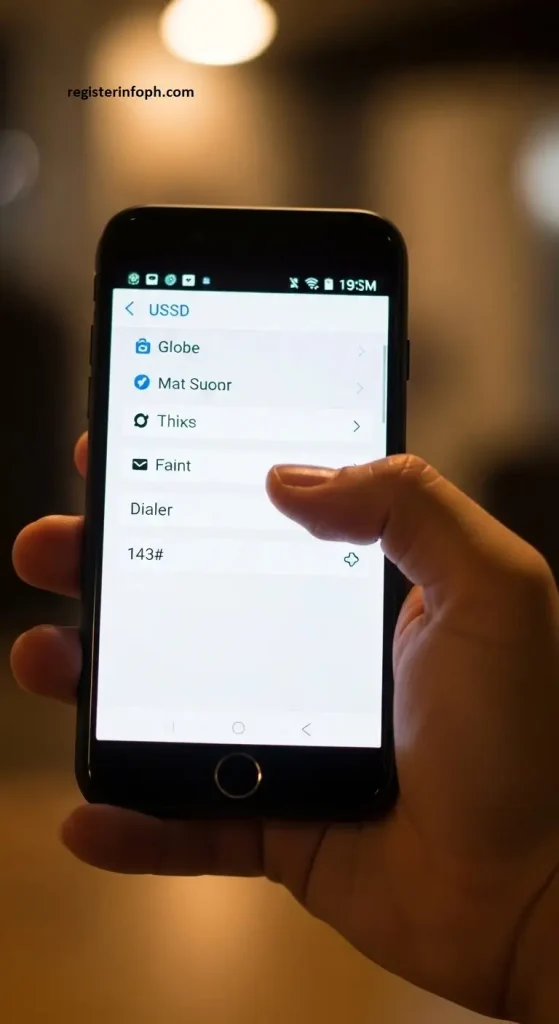
The quickest way to perform a Globe Balance Inquiry is by dialing *143# from your Globe mobile phone.
This official self-service menu allows eligible Globe users to access various account services without installing an app or using mobile data.
How to Check Your Globe Balance Using *143#
- Open your phone’s Dialer.
- Dial *143#.
- Tap the Call button.
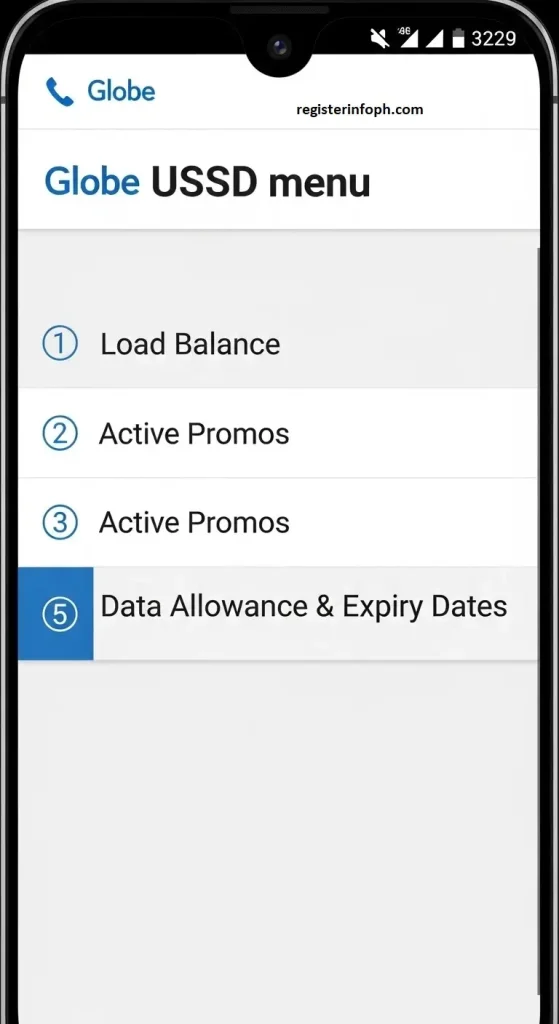
- Wait for the Globe menu to appear.
- Select My Account.
- Choose Balance Inquiry.
- Your remaining account information will be displayed on your screen.
The entire process usually takes less than one minute.
Information You May See
After selecting Balance Inquiry, Globe may display:
- Current prepaid load
- Remaining mobile data
- Active internet promos
- Call allocation
- SMS allocation
- Promo expiry dates
- Account information
The exact details shown depend on your current subscription and account type.
Benefits of Using *143#
Many Globe subscribers still prefer this method because it offers several advantages.
- No Internet Needed: You don’t need Wi-Fi or mobile data.
- Very Fast: Most balance requests are completed within seconds.
- Works on Basic Phones: Even older keypad phones can access the service.
- Available Anytime: You can check your account whenever network services are available.
When Should You Use *143#?
This method is ideal when:
- You’re outside without internet.
- Your data has already run out.
- You need a quick balance check.
- You’re using a feature phone.
- You only want to verify your remaining load or data.
Method 2: Globe Balance Inquiry Through the GlobeOne App
The GlobeOne App is Globe Telecom’s official mobile application for managing prepaid, postpaid, TM, and Globe At Home accounts.
Instead of dialing codes every time, the app displays your account information on a single dashboard.
It also provides additional features that aren’t available through traditional balance inquiry methods.
Why Use the GlobeOne App?
The app allows users to:
- View remaining load instantly
- Check mobile data usage
- Monitor active promos
- Redeem Globe Rewards
- Buy load
- Register promos
- Pay postpaid bills
- Manage multiple Globe accounts
- Receive account notifications
For most users, this is the easiest way to monitor their Globe account.
How to Download the GlobeOne App
Android users can install it from the Google Play Store, while iPhone users can download it from the Apple App Store.
Always install the official GlobeOne App published by Globe Telecom.
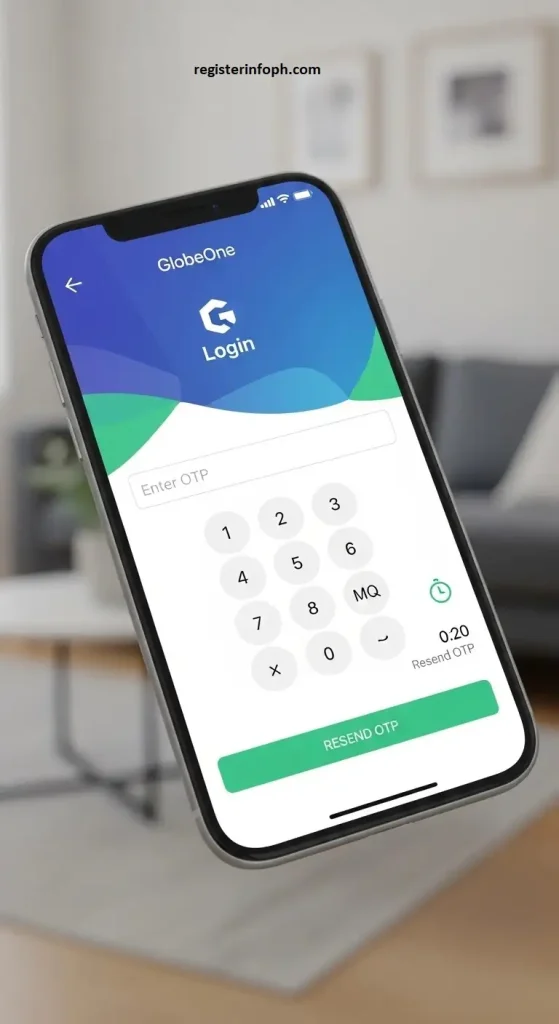
How to Log In
- Open the GlobeOne App.
- Enter your Globe mobile number.
- Receive the One-Time Password (OTP).
- Enter the OTP.
- Complete account verification.
- Access your account dashboard.
If you have multiple Globe numbers, you can add them inside the app for easier management.
What Can You See Inside the Dashboard?
After signing in, you’ll usually find:
- Remaining prepaid load
- Mobile data balance
- Active promos
- Rewards points
- Promo expiration dates
- Account information
- Billing information (for postpaid users)
The dashboard updates regularly, making it one of the most convenient ways to monitor your account.
Advantages of the GlobeOne App
Using the GlobeOne App offers several benefits:
- Real-time balance monitoring
- User-friendly interface
- Easy promo registration
- Rewards redemption
- Secure account management
- Multiple account support
- Digital bill payments
- Faster customer assistance
Because everything is accessible from one app, many Globe subscribers now prefer it over traditional balance inquiry methods.
Method 3: Globe Balance Inquiry Through SMS
If you don’t have internet access, you may also be able to request your balance through SMS, depending on the services available for your account.
This method is useful for users who prefer text messaging instead of dialing menu codes.
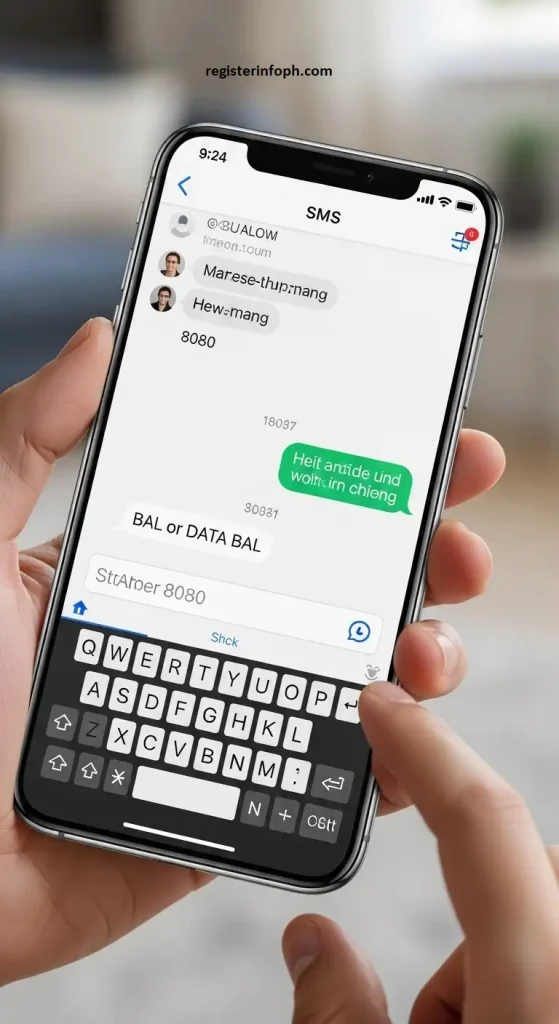
Steps
- Open your Messages app.
- Create a new text message.
- Enter the supported Globe balance inquiry keyword (if available for your account).
- Send it to the designated Globe service number.
- Wait for the confirmation reply.
Once processed, Globe sends a text containing your available balance information.
Information You May Receive
Depending on your account, the SMS reply may include:
- Remaining prepaid load
- Mobile data balance
- Active internet promos
- Promo expiration date
- Other account details
If SMS balance inquiry is unavailable for your service, the GlobeOne App or *143# are the recommended alternatives.
Which Globe Balance Inquiry Method Is Best?
Each balance inquiry option has its own advantages.
| Method | Speed | Internet Needed | Best For |
| *143# | ⭐⭐⭐⭐⭐ | No | Fast balance checks |
| GlobeOne App | ⭐⭐⭐⭐⭐ | Yes | Complete account management |
| SMS | ⭐⭐⭐ | No | Simple text-based inquiries |
| Customer Support | ⭐⭐ | Optional | Account-related issues |
For most users, the GlobeOne App offers the most complete experience, while *143# remains the fastest option when you simply want to check your load or data balance without using the internet.
How to Check Your Globe Mobile Data Balance
Many Globe subscribers want to know not only their remaining load but also how much mobile data they have left. Monitoring your data balance helps you avoid unexpected interruptions while browsing, streaming videos, attending online classes, or working remotely.
Depending on your account, Globe allows you to check your remaining data through several official methods.
Option 1: Check Data Balance Using the GlobeOne App
The easiest way to view your remaining internet allocation is through the GlobeOne App.
After logging in, the dashboard displays your:
- Remaining mobile data
- Active data promos
- Promo expiration dates
- Bonus data (if applicable)
- Data usage history
Because the app updates your usage regularly, it provides one of the most accurate ways to monitor your remaining data.information is needed.
Option 2: Check Data Using *143#
Eligible prepaid users can also check their remaining mobile data through the *143# self-service menu.
Simply:
- Dial *143#
- Open My Account
- Select Balance Inquiry
- View your remaining data allocation
Depending on your current promo, you may also see bonus data and the expiration date.
Why You Should Monitor Your Data Usage
Keeping an eye on your remaining data helps you:
- Avoid using all your data unexpectedly.
- Prevent additional charges on eligible plans.
- Plan your browsing habits.
- Register another promo before your current one expires.
- Reduce unnecessary mobile data consumption.
How to Check Active Globe Promos
Many Globe users subscribe to prepaid promos that include mobile data, unlimited texts, call minutes, or a combination of these benefits.
Checking your active promos allows you to see:
- Which promos are currently active
- Remaining data allocation
- Remaining call minutes
- Remaining SMS allocation
- Promo expiration date
Through the GlobeOne App
Available add-ons
Open the app and select your registered mobile number.
Your dashboard will display:
- Active promos
- Remaining benefits
- Validity period
Through *143#
You can also access your promo information through the self-service menu.
After dialing *143#, navigate to your account or promo information to view your currently registered offers.
How to Check Globe Rewards Points
Globe Rewards lets eligible customers earn points by using selected Globe services and promotions. These points can later be redeemed for various rewards, vouchers, and exclusive offers.
Checking your rewards regularly ensures you don’t miss opportunities to use your points before they expire.
Using the GlobeOne App
The easiest way to view your rewards points is through the official GlobeOne App.
Simply:
- Open the app.
- Sign in.
- Tap the Rewards section.
You’ll see:
- Total available rewards points
- Available redemption offers
- Reward categories
- Point expiration information (if applicable)
Benefits of Globe Rewards
Depending on available offers, points may be redeemed for:
- Mobile promos
- Shopping vouchers
- Food discounts
- Entertainment offers
- Lifestyle rewards
- Partner promotions
Available rewards may change from time to time.
How to Check Promo Expiration Dates
One common mistake among prepaid users is forgetting when their promo expires.
Once a promo expires, any unused data, calls, or texts included in that promo may no longer be available according to Globe’s current terms.
Fortunately, Globe makes it easy to view your promo validity.
GlobeOne App
The dashboard usually displays:
- Promo name
- Remaining benefits
- Expiration date
- Remaining data
- Remaining call allocation
*143#
Some promo information may also be available through the Globe self-service menu.
Checking before your promo expires allows you to register another promo without losing connectivity.
Globe Balance Inquiry by Account Type
Globe Balance Inquiry for Postpaid Users
Postpaid subscribers have different account information compared to prepaid users.
Instead of monitoring prepaid load, postpaid customers often check:
- Current bill
- Data usage
- Remaining plan allocation
- Rewards
- Billing cycle
- Account balance
The GlobeOne App provides the most complete overview for postpaid accounts.
Globe Balance Inquiry for TM Users
TM (Touch Mobile) operates under Globe Telecom and supports several of the same account management features.
TM users can generally monitor:
- Remaining load
- Mobile data
- Active promos
- Rewards (where applicable)
Many TM subscribers also use the GlobeOne App to manage their accounts.
Globe At Home Balance Inquiry
If you use Globe At Home Prepaid WiFi or another supported Globe broadband service, you can also monitor your account through the GlobeOne App.
Depending on your subscription, you may view:
- Remaining data allocation
- Active promos
- Account status
- Usage information
- Promo validity
Managing your WiFi account through the app makes it easier to track household internet usage.
Globe Balance Inquiry for Prepaid Users
If you’re using Globe Prepaid, checking your balance is especially important because your services depend on your available load and active promos.
Prepaid customers can usually check:
- Remaining load
- Mobile data
- Active promos
- Rewards points
- Promo expiration dates
Best Methods:
- ✅ GlobeOne App
- ✅ *143#
- ✅ Customer Support
Prepaid users should check their balances regularly, especially before making long calls or using large amounts of mobile data.
Can You Check Your Globe Balance Without Internet?
Yes.
One advantage of Globe’s self-service tools is that some balance inquiry methods do not require an internet connection.
You can still check certain account information using:
- *143#
- SMS (where available)
- Customer support
These methods are particularly useful when:
- Your mobile data has already run out.
- You’re traveling.
- You’re in an area without Wi-Fi.
- You’re using a basic mobile phone.
Contact Globe Customer Support
If your balance inquiry methods aren’t working, Globe customer support can help verify your account information.
Support representatives may assist with:
- Balance inquiries
- Account verification
- Billing concerns
- Promo issues
- SIM-related concerns
- Technical problems
Depending on your account, support may also help explain unusual balance changes or account activity.
Helpful Tips for Managing Your Globe Balance
Checking your balance is only part of managing your mobile account. Developing a few simple habits can help you avoid running out of load or data unexpectedly.
Check Your Balance Frequently
Make it a routine to check your remaining load before making long calls or using large amounts of mobile data.
Monitor Daily Data Usage
Streaming videos, downloading files, and using social media can consume your mobile data quickly. Viewing your remaining allocation regularly helps you avoid interruptions.
Register the Right Promo
Choose Globe promos that match your daily needs. For example:
- Heavy streaming users may benefit from larger data packages.
- Students may prefer education-focused promos.
- Frequent callers may choose call-and-text bundles.
Enable Notifications
The GlobeOne App can notify you about:
- Low balance
- Promo expiration
- Rewards updates
- New offers
These alerts help you stay informed without checking your account manually.
Redeem Rewards Before They Expire
If you’ve accumulated Globe Rewards points, redeem them before they expire according to Globe’s rewards program rules. Checking your rewards regularly ensures you don’t lose available benefits.
Keep Your GlobeOne App Updated
Installing the latest version helps you receive:
- Improved security
- Better performance
- Bug fixes
- Updated features
Using outdated versions may cause display or login issues.
Use Official Globe Services Only
For your privacy and account security, always check your balance using official Globe channels. Avoid unofficial websites or third-party apps that request sensitive account information or verification codes.
Why Regular Globe Balance Inquiry Matters
Many users only check their balance after they lose internet access or can no longer make calls. However, checking your account regularly offers several advantages.
Routine balance inquiries help you:
- Stay connected without interruptions.
- Monitor your prepaid spending.
- Track internet consumption.
- Manage active promos.
- Avoid unexpected charges.
- Plan future reloads.
- Keep track of rewards points.
- Make better use of your Globe services.
Whether you’re a prepaid or postpaid customer, regularly reviewing your account helps you get the most value from your Globe subscription.
Common Globe Balance Inquiry Problems and Solutions
Although Globe provides several convenient ways to check your balance, you may occasionally experience issues caused by network congestion, outdated applications, SIM problems, or incorrect account settings. Below are some of the most common problems and practical solutions.
1. *143# Is Not Working
If dialing *143# does not display the Globe menu, try the following:
- Make sure your phone has a stable Globe network signal.
- Restart your phone and dial the code again.
- Confirm that your Globe SIM is inserted properly.
- Remove and reinsert the SIM card if necessary.
- Wait a few minutes if the network is busy.
- Try checking your balance through the GlobeOne App instead.
If the problem continues for several hours, contact Globe Customer Support.
2. GlobeOne App Isn’t Showing the Correct Balance
Sometimes the app may not immediately refresh your account information.
Try these solutions:
- Refresh the dashboard.
- Close and reopen the app.
- Log out and sign back in.
- Update the GlobeOne App to the latest version.
- Switch to a stronger Wi-Fi or mobile data connection.
- Restart your phone.
- Clear the app cache (Android).
If your balance still appears incorrect, wait a few minutes and check again, as updates may take time to synchronize.
3. OTP Is Not Arriving
If you cannot receive the One-Time Password (OTP):
- Ensure your phone has a signal.
- Verify that you entered the correct mobile number.
- Restart your phone.
- Request another OTP after a few minutes.
- Disable airplane mode if enabled.
Persistent OTP issues should be reported to Globe Support.
4. Mobile Data Balance Doesn’t Update
If your remaining data appears unchanged after using the internet:
Possible reasons include:
- Recent usage has not yet synced.
- Network updates are delayed.
- The app requires refreshing.
Wait several minutes before checking again.
5. Unable to Log In to GlobeOne
Login problems may occur because of:
- Incorrect OTP
- Poor internet connection
- Temporary server maintenance
- Outdated application version
Updating the app usually resolves many login-related issues.
Official Tips for Accurate Globe Balance Inquiry
To ensure you always receive accurate account information:
Security Tips When Checking Your Balance
Your Globe account contains personal information, making it important to follow basic security practices.

Never Share Your OTP
Globe representatives will never ask for your One-Time Password. Anyone requesting your OTP may be attempting to gain unauthorized access to your account.
Download Only the Official GlobeOne App
Avoid unofficial applications claiming to check Globe balances. Always download the app from:
- Google Play Store
- Apple App Store
Avoid Fake Balance Inquiry Websites
Some websites imitate Globe services to collect personal information. Only use official Globe channels when:
- Checking balances
- Registering promos
- Paying bills
- Managing your account
Keep Your Device Updated
Software updates include important security improvements that help protect your mobile information.
Use Strong Device Security
Protect your phone using:
- Fingerprint authentication
- Face ID
- PIN code
- Password
This prevents unauthorized access if your phone is lost.
Globe Balance Inquiry: Best Method Comparison
|
Method |
Speed |
Internet Required |
Best For |
|---|---|---|---|
|
GlobeOne App |
⭐⭐⭐⭐⭐ |
Yes |
Complete account management |
|
*143# |
⭐⭐⭐⭐⭐ |
No |
Fast balance checks |
|
SMS |
⭐⭐⭐ |
No |
Simple balance inquiry |
|
Customer Support |
⭐⭐ |
Optional |
Account assistance |
For most Globe customers, the GlobeOne App is the most convenient solution because it displays nearly all account information in one place.
Conclusion
Performing a Globe Balance Inquiry is one of the easiest ways to stay in control of your Globe account. Whether you want to check your remaining load, monitor mobile data, review active promos, or track Globe Rewards points, Globe offers several official methods to help you access your account information quickly.
For most users, the GlobeOne App provides the most complete account management experience by displaying your load balance, data usage, rewards, and account details in one place. If you do not have internet access, dialing *143# remains a fast and reliable option for checking your balance.
By checking your account regularly, keeping your app updated, and using only official Globe services, you can avoid unexpected interruptions, manage your mobile expenses more effectively, and enjoy a smoother experience with Globe Telecom.